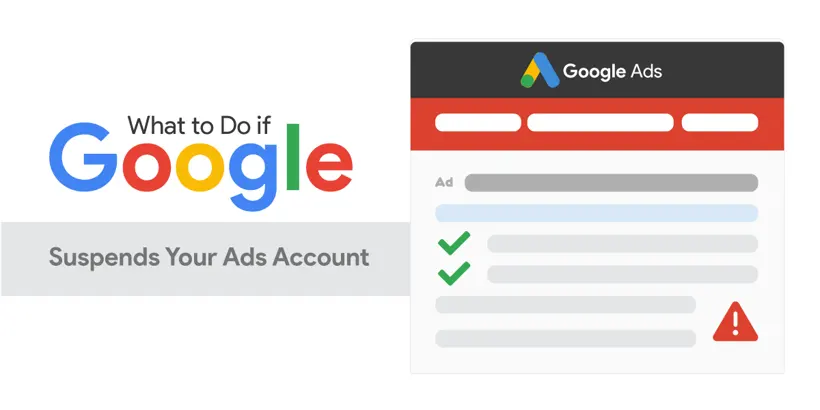
광고 계정이 정지된 후에는 먼저 정지 통지 내용과 이의 신청 사유를 확인하십시오.
계정에 있는 공식 알림을 통해 관련 광고, 웹사이트 또는 회계 문제를 찾으세요.
계정에 있는 공식 알림을 통해 관련 광고, 웹사이트 또는 회계 문제를 찾으세요. 알림 번호, 날짜 및 이전 수정 내역을 저장해 두면 정보 부족으로 인해 여러 사람이 일관성 없는 설명을 제출하는 것을 방지할 수 있습니다.
계정 소유자는 공식 이의 신청 양식에 따라 사실 관계, 수정된 내용 및 증빙 자료를 제출해야 합니다. 제출 내역은 기록으로 보관되며, 동일한 문제가 다른 자료에도 영향을 미치는지 여부를 조사하는 절차가 계속 진행됩니다.
Google Ads is a powerful advertising platform that allows businesses to reach millions of potential customers through search and display ads.
However, sometimes businesses may find themselves in a difficult situation where their Google Ads account is suspended. This can be a frustrating and potentially costly situation, but there are steps you can take to try and reverse the suspension and get your ads back up and running.
Identify Why You Were Suspended
First, it's important to understand why your account was suspended in the first place. Google provides detailed information on their policies and guidelines on their website, so take the time to review them and ensure that you are in compliance.
There are several reasons why an account may be suspended, including policy violations, billing issues, or fraudulent activity. Common policy violations include using misleading or false information in your ads, promoting illegal or harmful products or services, or using copyrighted material without permission.
If you believe your account was suspended in error, it's important to check your account for any policy violations. Look at your ads, keywords, and landing pages to ensure they comply with Google's policies. If you find any violations, correct them immediately and make sure that your account is in compliance with Google's policies before submitting an appeal.
Submit an Appeal to Google
Once you've reviewed your account and corrected any violations, you can submit an appeal. Go to the "Help" section of your Google Ads account and select "Contact Us" to submit an appeal. Provide detailed information about the situation and any steps you have taken to rectify any issues. Be sure to include any relevant documentation, such as screenshots or receipts, to support your appeal.
It's important to be patient during the review process. The review process for an appeal can take several weeks, so it's important to keep an eye on your email for updates and responses from Google. If your appeal is denied, you can appeal again, but it's important to address any issues that led to the suspension in the first place before doing so.
Prevent Future Suspensions
If your account is reinstated, it's important to take action to prevent future suspensions. Take the time to review and understand Google's policies to prevent any future violations. This includes regularly monitoring your account and making sure that your ads and keywords comply with Google's policies. It's also important to be aware of any changes to Google's policies and guidelines, so you can stay up to date and ensure that your account remains in compliance.
In addition, be sure to keep a close eye on your account's billing and payment information. Google Ads requires a valid form of payment to run ads, so if your account is suspended due to billing issues, make sure to update your payment information and resolve any outstanding balances as soon as possible.
If All Else Fails, Call an Expert
Even though Google has hundreds of pages of policy available, it’s often fairly vague, and it can be extremely hard to figure out why they’ve flagged your account and how to fix it.
That’s why some agencies, like StubGroup, have specialized in reversing Google Ads account suspensions and can partner with an advertiser to help them figure out where things went wrong and how to fix them.
In conclusion, a Google Ads account suspension can be a frustrating and potentially costly situation for businesses. However, by understanding why your account was suspended, reviewing your account for violations, submitting an appeal, being patient during the review process and taking action to prevent future suspensions, businesses can take steps to rectify the situation and get their ads back up and running.
Related Articles:
- Star-Ratings on Google Ads
- Best Practices Google Seller Rating: What to Do after Getting Reviews
- 10 Reasons Why Having More Reviews Is Critical to Your Online Success