틱톡 라이브 제품 시연을 연습해 보세요.
한 장의 용지에 들어갈 수 있는 간략한 진행 순서를 만드세요.
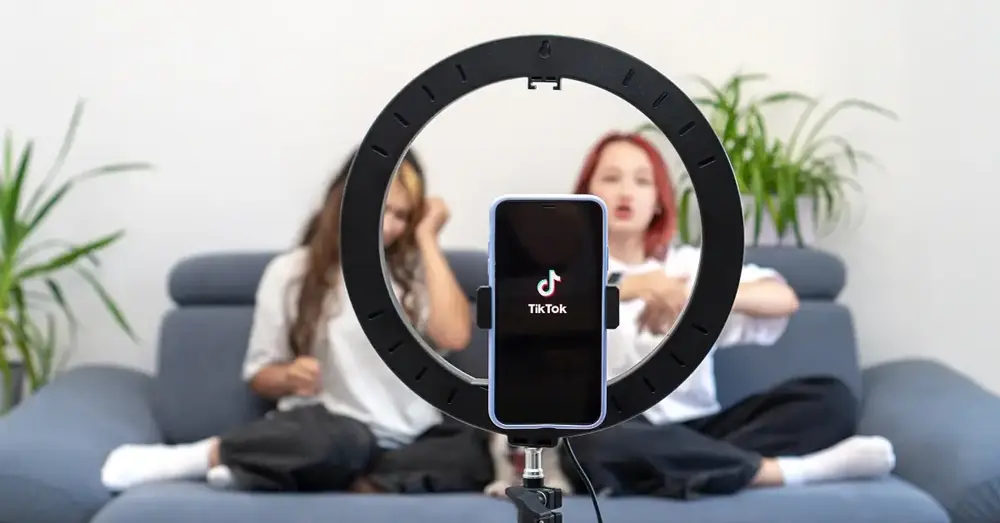
한 장의 용지에 들어갈 수 있는 간략한 진행 순서를 만드세요. 문제부터 시작하여 하나의 완전한 작업을 시연하고, 질문 시간을 충분히 확보한 후, 필요에 따라 협력 관계 공개 내용을 다시 한번 설명하세요. 한 명은 카메라를 담당하고, 다른 한 명은 댓글을 선별하고, 답변되지 않은 질문을 기록하고, 기술적인 문제를 보고하는 역할을 맡으세요.
시간을 공지하기 전에 발표 계정에서 실시간 사용 가능 여부를 확인하고 실제 조명 및 연결 상태로 리허설을 진행하세요. 실시간 세션 진행이 불가능할 경우를 대비하여 녹화된 데모 영상을 준비하십시오. 리허설 후에는 판매자에게 세션 요약 내용과 승인된 재사용 가능한 클립을 제공하세요.
Going live on TikTok is the best way to interact with your followers. If you're wondering how to start a live stream, take a look at the guide now!
TikTok is one of the video-sharing platforms that has gained popularity in recent years. It has become an app used by millions of people due to its simplicity in shooting videos in any desired way. One of TikTok's features is the ability to start a live stream, which hosts interesting and useful content.
Content creators who gain followers and comments by opening live streams use this method to interact with their audience. The feature that contributes to real-time interaction with your viewers answers many questions. One of these questions is 'How to go live on TikTok?'
With the detailed guide we have prepared for you, we will delve into the depths of the process of starting a live stream on TikTok. This way, you will be able to experience the live streaming feature in the simplest ways within a short period of time.
So, without further ado, let's take a look at the details of how to start a live stream on TikTok together!
Tired of waiting? now to get the live stream feature instantly!
What is TikTok Live?
TikTok Live is a feature that allows TikTok users to broadcast their video content in real-time. Anyone with the ability to go live can start a live stream as long as they adhere to the rules.
Through live streaming, users can interact with their followers and respond to their questions, which is one of the most important factors for receiving feedback. Live streams typically involve users sharing activities such as talking, dancing, singing, playing games, and other types of content.
How to Start a TikTok Live?
To start a live stream on TikTok, you need to have a minimum of 1000 followers. Otherwise, the live streaming feature will not be active on your account. If you are 18 years old or older, your request will be approved as per the platform's rules.
To provide a detailed guide on how to start a TikTok live, you can follow the steps below using your mobile device (Android or iPhone):
- Open the TikTok app that you have downloaded from the Google Play Store or App Store.
- Enter your login credentials to sign in to your account.
- Once you are directed to the home page, tap on the 'Profile' icon.
- On your profile page, locate the middle and bottom sections where the (+) icon is located, and tap on it.
- Among the options, find and tap on the 'Live' section.
- Add an image and a title for your live stream.
- Finally, tap on the 'Go Live' button to start your stream.
RELATED CONTENTS Tiktok How Do You Verify a TikTok Agency Partner Badge? Tiktok Does AI Generated Content Actually Work on TikTok? Tiktok How to Fix TikTok Message Sending Problem? Tiktok What TikTok Peer To Peer Payments Would Change Tiktok How to Download TikTok Videos? Tiktok What Is The TikTok Discovery Hours, and How is it Determined? Tiktok How Should Creators Use TikTok's Comment Features? Tiktok My TikTok Account Has Been Hacked, How Can I Recover It?
How to Start a TikTok Live Without 1000 Followers?
Users of the platform often complain that they cannot start a live stream on TikTok without surpassing the 1000-follower threshold. However, there are a few ways to bypass the 1000-follower requirement and easily start a TikTok live.
These steps are presented in both a longer and shorter format. The first step involves some probability, while the second step provides a definite solution. Therefore, you can follow the steps below if you don't have 1000 followers.
To start a TikTok live without 1000 followers, follow these steps on your mobile device (Android or iPhone):
- First, open the TikTok app on your device.
- Once the app opens, enter your login credentials to activate your account.
- After being directed to the main homepage, tap on the "Profile" icon located in the bottom right corner.
- Once you access your profile page, tap on the three horizontal lines menu icon in the top right corner.
- Scroll down and tap on "Privacy and Settings" at the bottom.
- From the same page, locate and tap on "Support and About"
- Under the heading, tap on "Report a Problem"
- On the "Report a Problem" page, find the section labeled "Categories" and tap on "Live"
- Select the option "Other issues with going Live" and proceed.
- On the "Has your issue been resolved?" screen, tap on "No"
- When the message "Do you need more help?" appears, tap on it once.
- In the blank field, type "@username 5698107"2" " and send it (replace "username" with your own username).
- Finally, tap on the "Submit" button located at the bottom.
Follow the steps below to start a live broadcast without having 1000 followers, which is the second step and will lead to a definitive solution:
- First, log in to the website buy.fans
- Once you reach the homepage, hover over the 'Free Tools' section at the top.
- Click on the 'Tiktok Follower Hack' section on the opened page.
- Enter your username in the 'Username' field, preceded by the '@' symbol.
- By default, 1000 followers will already be selected in the 'Amount' field.
- When you press the 'Submit' button next to it, the process of sending followers will be successfully completed within 10 minutes.
- As a result, you will have 1000 followers and the live broadcast feature will be activated.
If waiting for 10 minutes seems difficult for you, click here to instantly with gifts, non-drop, and refillable options.
This article was last updated on 27 November 2026 friday. Today, 13 visitors read this article.